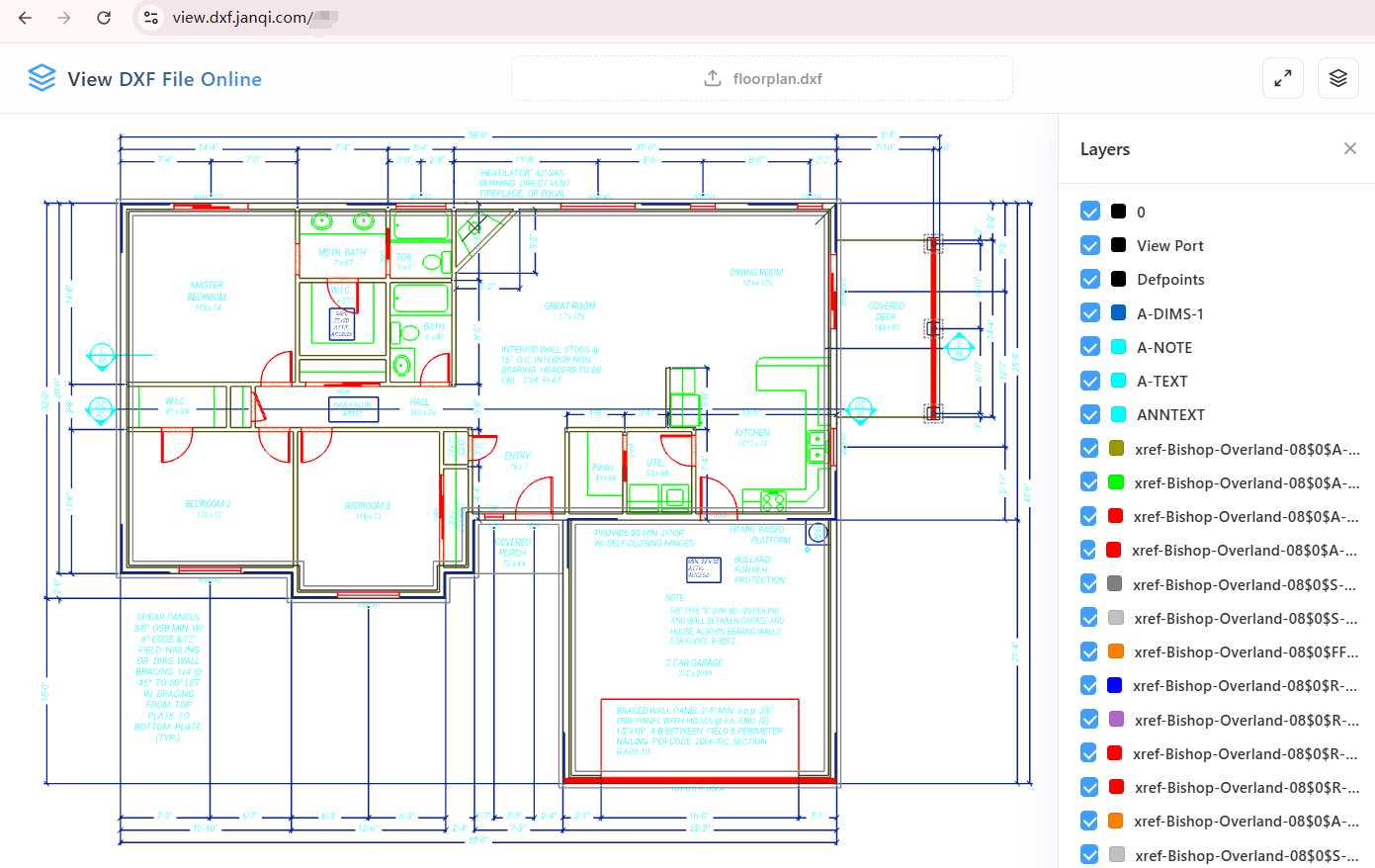
How to Open and View CAD DXF Drawings Online?
DXF is a vector graphic format developed by AutoDesk for CAD drawing data exchange, widely used in architecture, mechanical design, product blueprints, and other fields. Typically, viewing DXF drawings requires installing heavy software like AutoCAD. Our Online DXF Viewer allows you to preview .dxf files directly in your browser without downloading any software or plugins, providing high-quality rendering of vector lines and dimensions.
The steps to use this tool are very simple:
- Upload Drawing: Visit this page, drag your
.dxf file to the dashed area in the center, or click the area to select and import a file from your local device. - Automatic Parsing: Powered by the
jit-viewer engine, the tool automatically reads the vector graphics metadata and renders it on a high-resolution canvas. - Browse & Interact: Once loaded, you can zoom in, zoom out, and drag to pan, making it easy to check every detailed dimension and annotation.
No Plugins, Cross-Platform CAD Viewer — View Drawings Anywhere, Anytime
Whether at a construction site, in a meeting, or on a trip, we often need to check a DXF drawing on a phone (Android/iOS), tablet, or office computer without professional CAD software installed. This online DXF viewer is the perfect solution. Built entirely on HTML5 technology, it offers excellent responsive design and interactive performance.
Our Core Security Value:
All CAD drawings are parsed and rendered locally in your browser sandbox. Your files are never uploaded to any cloud server. This fundamentally eliminates the risk of leaking sensitive engineering drawings or core commercial designs. View your drawings securely and losslessly on any device with a web browser!
Typical Use Cases for Online CAD DXF Viewer
Here are some core use cases where this tool can help you work more efficiently:
- On-site Construction Verification: Construction workers or inspectors can import DXF drawings directly on their phones or tablets to verify dimensions and design lines on-site, without carrying a laptop.
- Quick Preview for Non-Designers: Business, procurement, or marketing staff who only need to read drawings sent by designers do not need to buy expensive AutoCAD licenses for occasional use. They can open it instantly in their web browser.
- Customer Presentations: When presenting design concepts to clients, there's no need to worry if the client has a CAD reader installed. Simply share this page and import the drawing for a smooth, high-definition presentation.
- Emergency on Low-spec Devices: On temporary public PCs or low-spec devices without a CAD environment, this tool's lightweight local parsing avoids system freezes or lags caused by installing heavy software.